Studio-grade EQ for every sound your Mac makes.
A system-wide 10-band equalizer for Mac with your headphone brand's signature sound modes built in. No drivers. No lag. No subscription.
One-time purchase · 3 Macs · No account
Try before you buy
Nothing to lose. Literally.
The whole app is free for a week, and your money is refundable for two more. Trust your ears, not our copy.
Brand Sound Modes
Your headphones' sound modes, on your Mac.
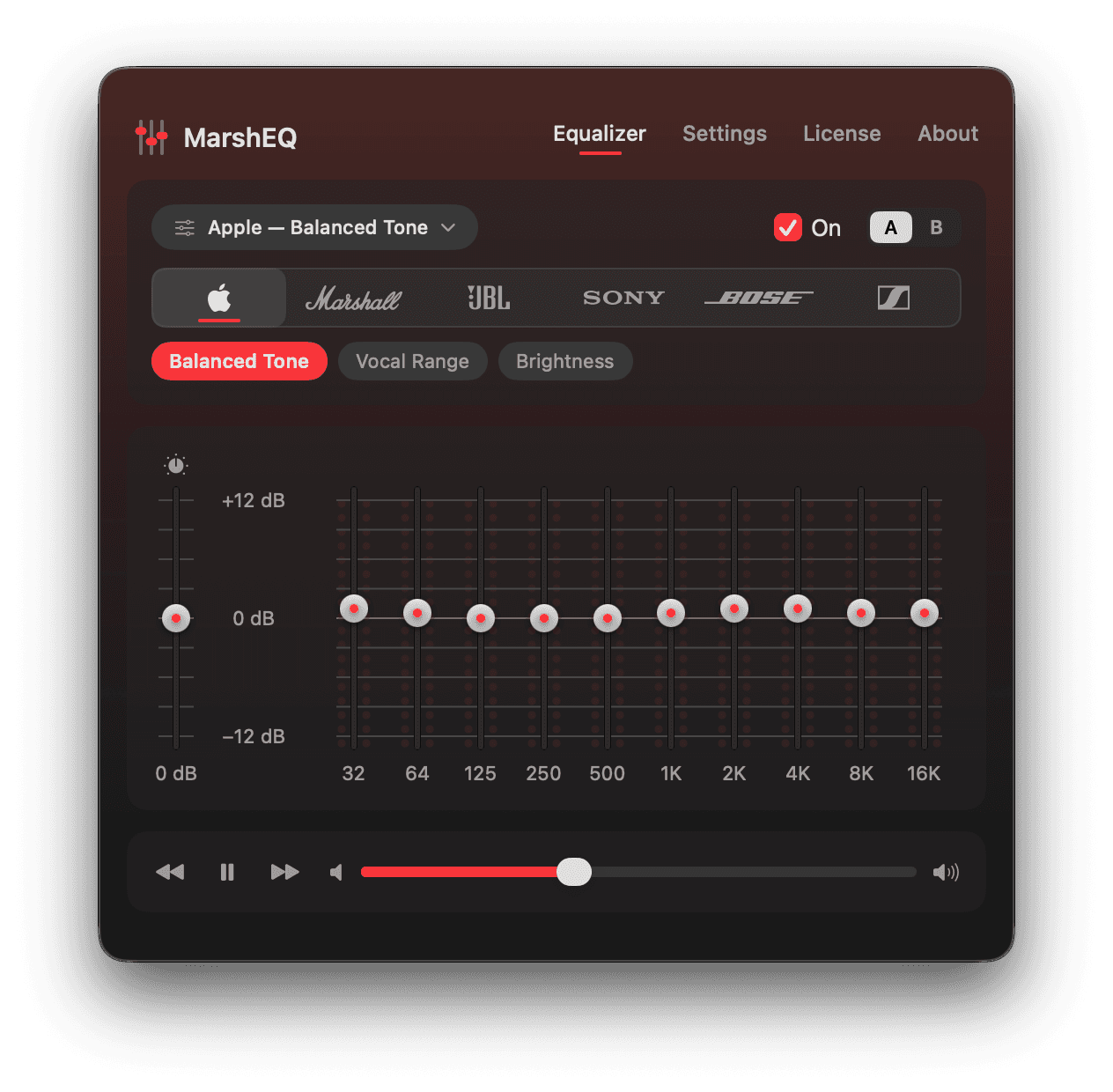
Pick your headphone brand and get its signature sound modes as one-click chips — 26 modes across 6 brands, authored to match each companion app's tuning.
Apple
The Headphone Accommodations tunings, on every output.
Bose
The Bose app presets, without the Bose app.
JBL
The JBL Headphones app presets on your Mac.
Marshall
Warm Signature, V-shaped Push, mid-forward Voice.
Sennheiser
Smart Control modes, including true-flat Neutral.
Sony
All eight Sound Connect presets, one click each.
Connect a known headphone and its brand is suggested automatically. Brand and mode names are factual references to each companion app's features — no affiliation or endorsement implied. Every curve is our own 10-band tuning.
Features
Small app. Serious signal path.
Everything a system-wide EQ should do, and nothing it shouldn't.
Under the hood
Built the way Apple intended.
For the technical crowd: here's exactly what happens to your audio.
Native process taps
MarshEQ taps system audio through the modern Core Audio API introduced in macOS 14.4. No virtual audio driver, no kernel extensions — quit the app and your Mac is exactly as it was.
Apple's own DSP
EQ is applied with AUGraphicEQ, the same Audio Unit Apple ships for pro audio. Battle-tested filters, vanishingly low latency, negligible CPU.
Zero resampling
Audio stays at its native sample rate end to end. Set everything flat and the signal passes through bit-clean — nothing added, nothing lost.
System audio → process tap → preamp + AUGraphicEQ → your output device
Pricing
Pay once. Own it.
No subscription, no account, no upsells.
Try everything free for 7 days first — no card, no account.
Sold by Dodo Payments (merchant of record). 14-day money-back guarantee.
FAQ
Frequently asked questions
Answers to the questions everyone asks before buying.
Hear your Mac the way it was meant to sound.
Try every feature free for 7 days — no account, no card, nothing to undo.
Not ready yet? Get notified about updates.